AWAKE

Do you trust a machine to control your coffee?
Interaction Design project
The future where machines take care of our simple load is already here. But are we truly ready to let go of our sense of control and let the machine take care of our simplest routines? 
In this project, I was exploring just that, using as an exmple a simple morning ritual - making coffee: 

• "How the different user interaction modalities with IoT devices at home influence the sense of control for users?"

• "How the sense of control over IoT devices would influence how people trust them?"

My Role

Product Design lead
User Research lead

My Responsibilities

• Product Design - led the whole process of the design, starting from ideation and finishing with prototyping
• User Research - led the whole process from identifying methods, participant recruitement, preparation of tests, conduction of tests, synthesizing data to data analysis
• Prototyping - created the prototype
• Facilitation - facilitated usability tests
• Analysis - analysed data to inform guidelines for the final output
• Project Management - ensuring the project is within the timeline of 8 weeks

Problem

In 2020, sense of cotrol was rarely considered when creating automated IoT devices for home use. 

Process

Literature review and exploring canonical examples helped me narrow down the topic. 
After some digital sketching, I created a prototype. The prototype had 4 different types of interactions with various control freedom and was tested for 20 days at one participant’s home. 

To address the limitations with COVID-19, and also to gather more feedback, I created and held an online questionnaire along with online group sessions. Online group sessions used various methods, lasted for ca 1 hour and were held in 3 languages: English, Estonian and Russian.

Outcome

With the gathered data, I created two lists of guidelines. The guidelined consist of points to consider while designing for such systems from a control and trust perspective.

PROCESS

Goals

Explore the sense of control and trust in IoT devices with an example of an alarm clock connected to a coffee maker.

Target Group

Coffee drinkers aged 20-55.

Constraints

COVID-19. Due to the quarantine, I wasn't able to test the physical prototype on more people. It forced me to be creative about the methods I used to gather feedback. 

Tools

Arduino
Figma
AndroidStudio
Adobe Photoshop
Pen & paper
Microsoft Word

Discovery

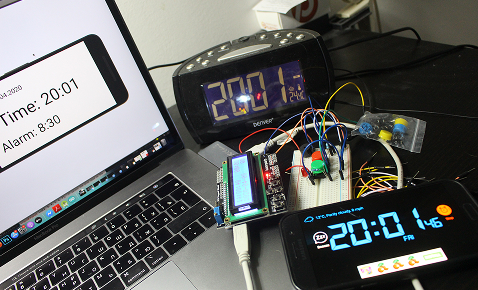
I wanted to have a physical prototype for this project, so, first, I began with digital sketching by tryig out different tech to figure out how the alarm's display should look like. I wanted a simple interface to make it easier for the user but also not to derail attention from the testing: we are not testing the intercafe, we are testing the interaction types.

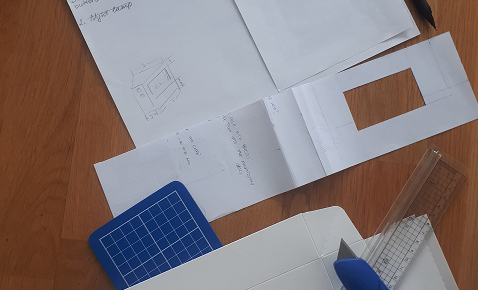
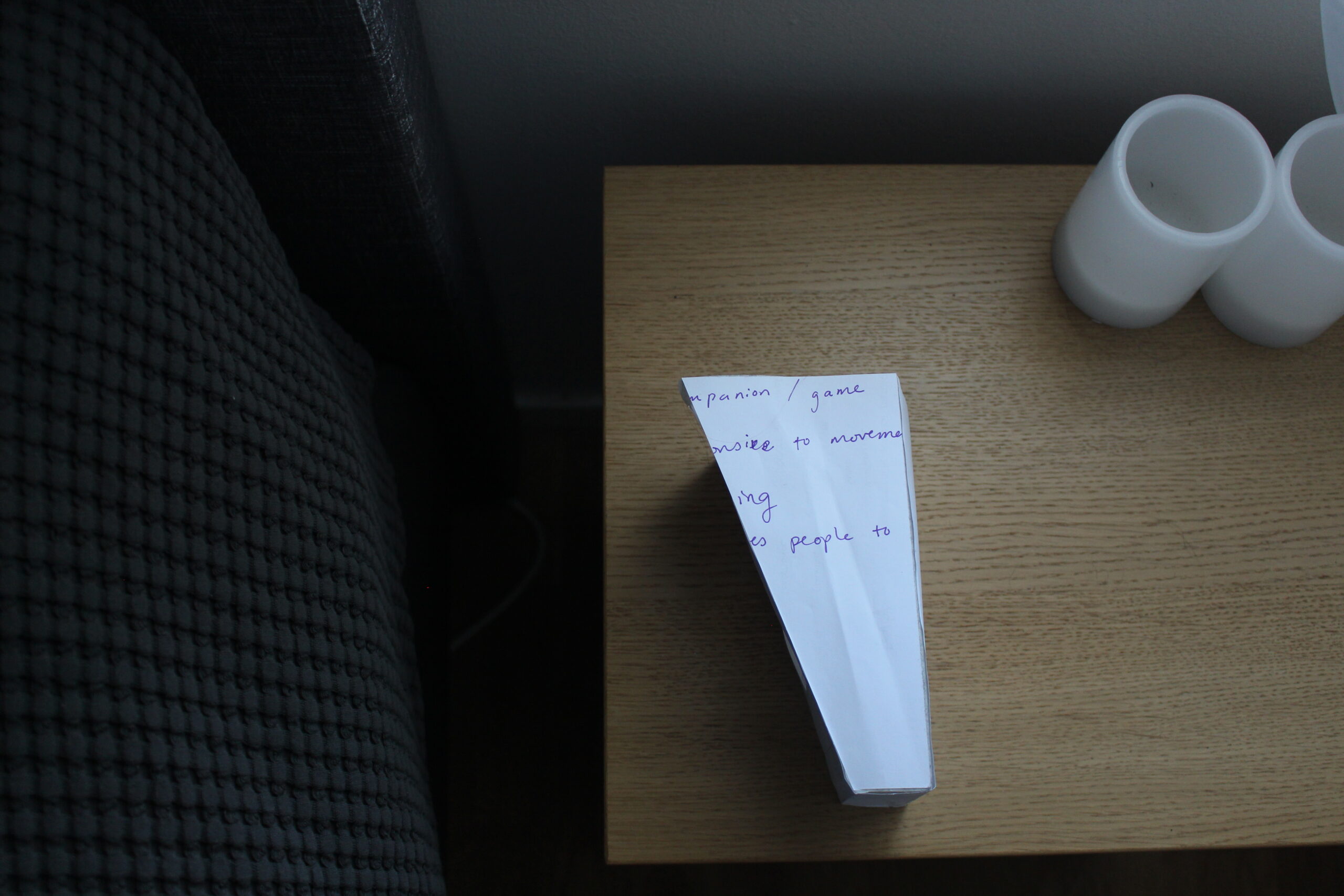
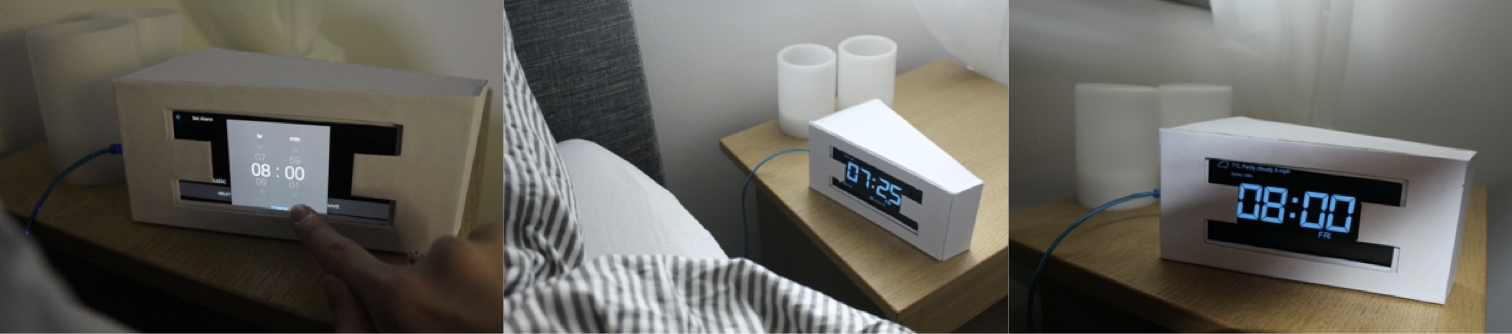
Once I narrowed down the display look with an app called Alarm Clock For Me, I began to create the shell for the display. I sketched, but the shape needed to work for wherever the user may have a nightstand, and also to have a slot for possible motion sensors for the system to detect if the person got up from the bed. That was possible, giving a clock a certain shape: user perfectly sees the display and the motion sensor would not react on the person’s hand movement.

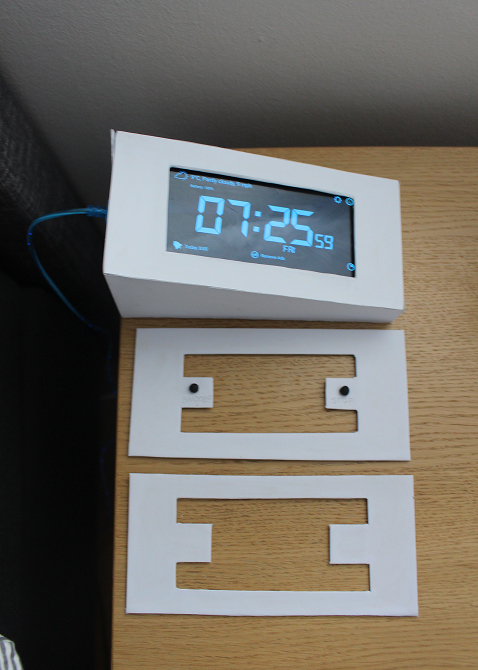
I also needed to add various screen covers to test 4 different types of interactions: 
•  the user can set the alarm clock, but it will turn off itself
• the user can set the alarm clock and turn it off using buttons on the screen
• the user can set the alarm clock and turn it off using physical buttons
• the user can set the alarm clock, but it will turn off itself
Prototype creation. Trying different things and brining them into the actual shape. 
Interacting with the prototype.

Testing

Physical prototype

Since the COVID-19 happened, there was a constrain to testing the prototype with more people. I was lucky to have 1 participant who was comfortable with me staying at their place for 20 days to test the prototype. 
Since I wasn't a programmer then, I used Wizard of Oz method to simulate the interaction between the alarm and the coffee machine: I hear the alarm going off, I turn on the coffee maker. 

The types of interactions I tested: 
1:  the user can set the alarm clock, but it will turn off itself. 
     Design intention: what happens if the participant has half of control?
2: the user can set the alarm clock and turn it off using buttons on the screen. 
    Design intention: what happens if the participant has full control?
3: the user can set the alarm clock and turn it off using physical buttons. 
    Design intention: what happens if the participant has full control; difference between physical and screen buttons.
4: the user can set the alarm clock, but it will turn off itself. 
    Design intention: how the participant willfeel like having no control ober the system; undrstand the level of trust.
Different interactions with the prototype while testing.

Online sessions

In parallel, I was working in online domain to make up for the lack of participants irl due to COVID-19. First, I created an online questionnaire to mimick and cover the real-life interview. I asked questions about the morning routines, sense of control and trust while using automated technology. The aim of the questionnaire was to understand personal experiences, opinions and reasons, therefore the amount of the participants could be smaller, so it was more feasible to analyze the answers.

Then, I had to figure out how to move physical prototype testig to online domain. Fake it till you make it, so I used storyboards, A/B testing and scenario to create online sessions, consisting of three parts:
1. Storyboard: "Describe what is happening on provided storyboards" - was aimed to see how the participants understand the system and how important it is.
2. Storyboard + A/B Testing + Scenario: "3 different scenarios, where the participants had to choose the way to interact with the alarm clock and explain their choice" - was aimed to see the difference in preferences in interaction when it came to a certain situation and give the participants more concrete scenario in order to mimic a real-life experience.
3. Focus Group: "Discussion: what functions are important to include for the sense of control?” - aim is self-explanatory.
Part 2: Storyboard + A/B Testing + Scenario testing during online sessions: General types of interaction, Stressful Monday Morning,  Usual Wednesday, Lazy Saturday.

OUTCOME

THE GUIDELINES

With all the gathered data, I began analysis. I was looking into correlation between feedback, searching for features that can be turned into guidelines. From the feedback, I managed to synthesize two sets of guidelines: general guidelines and guidelines to ensure sense of control and trust. The division is made due to the fact that some seemed to have a more general approach while other were more related to the topic.

General Guidelines

1. Universal use 
2. Regular updates of the system 
3. The number of people using it
4. Flexibility 
5. Information regarding data gathering 
6. Multifunctionality 
7. Power 
8. Distinct difference in buttons’ appearance 
9. Motivation
10. Additional factor recognition
11. Synchronization
12. Simpler and more intuitive interactions
13. Relevant functions
14. Less maintenance
15. Compatibility and interoperability
16. Possibility to integrate phone
17. Work with the user 

Guidelines to accont for sense of cotrol and trust

1. Customizable
2. Backup functions
3. Restart and Off
4. Cancellation function
5. Feedback
6. Early feedback or notification
7. Reminders
8. Predictability
9. Switching systems
10. Interoperability

REFLECTIONS

What I learned

• Conduct a project myself (with the help of a supervisor)
• Project planning and execution
• Different methods application
• Critical reflection
• Time management
• Questionnaire conduction
• Participants' recruitment
Want to explore the whole project?
Read thesis here
linkedin facebook pinterest youtube rss twitter instagram facebook-blank rss-blank linkedin-blank pinterest youtube twitter instagram